
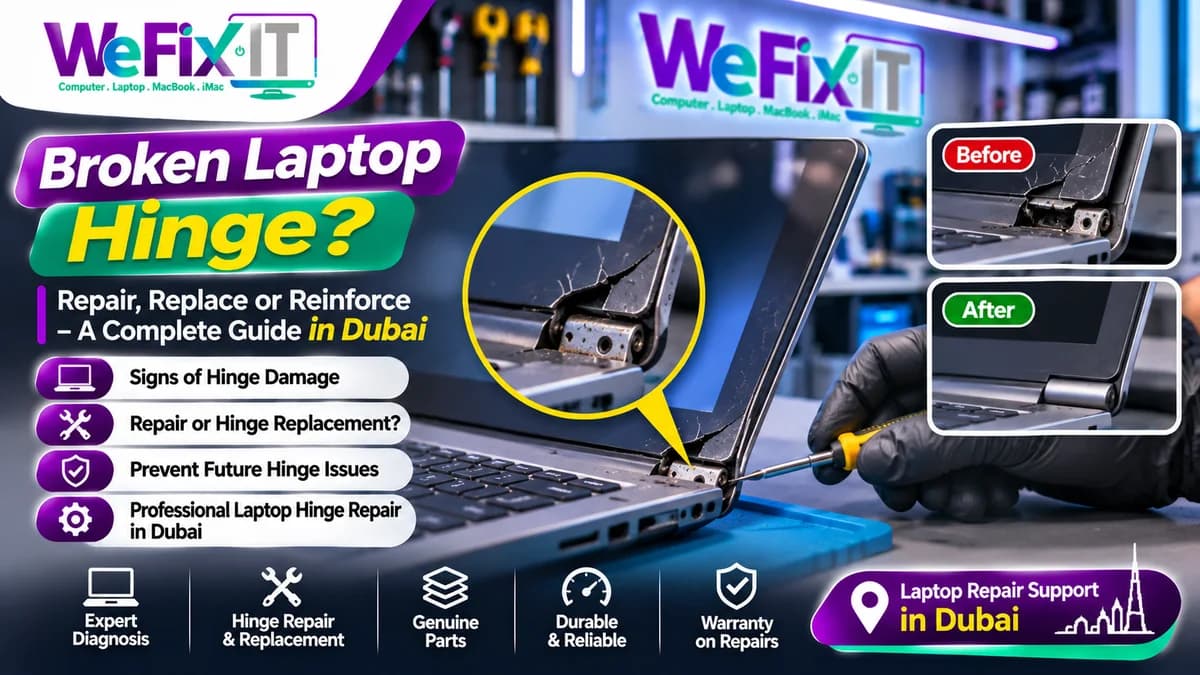
Quick answer: If a laptop lid makes cracking sounds, feels unusually stiff, or starts pulling the screen bezel away from the body, stop forcing the lid open or closed. A broken hinge, mounting bracket, plastic insert or outer housing can place extra stress on the display cable and panel. Not every damaged hinge needs a full screen replacement; the correct repair depends on the mounting points, chassis and device model.
Customers searching for laptop hinge repair in Dubai often notice a corner of the plastic body popping apart before the laptop stops opening properly. Identifying whether the metal hinge or its anchors failed can help avoid paying for unrelated parts.
Five warning signs that should not be ignored
- A click, crack or popping noise when the lid moves.
- The screen opens unevenly or twists to one side.
- A gap appears between the bezel, display back cover or laptop base.
- The hinge feels too stiff or the lid no longer holds its position.
- The picture flickers when the lid moves, especially if the cable path has been strained.
A symptom is a clue, not proof that a particular part has failed. A cracked plastic mount can look similar to a damaged hinge assembly from outside.
What actually breaks: hinge, mounting points or case?
Metal hinge mechanism
The moving hinge itself can become stiff, loose or bent. Excessive resistance transfers force to mounting posts and nearby casing. A replacement hinge may be appropriate if it cannot safely support the lid.
Broken screw posts or brass inserts
In some laptops, a metal hinge is secured to moulded mounting bosses inside the display cover or base. Those mounting points may crack or detach. Replacing only the metal hinge without addressing broken anchors may not solve the fault.
Damaged display back cover, bezel or palmrest
A crack may extend through the display back cover or the upper/base chassis. Depending on model availability, replacing the damaged housing can be more reliable than attempting a cosmetic patch.
Screen cable or panel damage
Because display cables pass through a hinge region in many designs, a failing hinge may also rub, pinch or stretch a cable. A visible crack in the LCD or a black screen requires a separate display-path assessment. Do not assume hinge repair alone will restore the display.
Related: Laptop Screen Repair Dubai.
What to do safely right now
1. Stop moving the lid. Don't repeatedly open and close it to show someone the fault. The less force applied to damaged mounting points, the lower the risk of worsening the mechanical problem.
2. Don't glue the moving hinge yourself. Adhesive around the wrong area can immobilise the mechanism, trap cables or complicate a later repair. Some professional techniques involve replacing damaged structures; the approach should follow a model-specific inspection.
3. Avoid lifting the laptop by the screen. When transport is needed, keep the device supported by its base. If the case has sharp exposed edges or the battery area is deformed, ask the workshop how to handle it safely.
4. If you can safely use the laptop without moving the damaged lid, back up important files. If there's unusual heat, a swollen battery, smoke, liquid or exposed electrical damage, stop use and do not charge the device.
5. Photograph the damage without forcing it. Pictures of the gap, device brand/model and any recent impact are useful for a repair discussion.
6. Ask what the repair will actually include. Will the technician inspect the hinge mechanism, mounting points, case and display cable? Are compatible covers or assemblies available for that particular model?
Can a broken laptop hinge be repaired without a new screen?
Often the hinge and display panel are separate parts, but their mechanical assemblies may be tightly integrated. A display that works normally may not need a new LCD panel even if the lid cover or hinge mount requires replacement.
There are several possible repair paths:
↔ Swipe horizontally to view the full comparison table
| Finding after inspection | Potential approach |
|---|---|
| Hinge mechanism loose or damaged | Adjust or replace the correct hinge assembly if appropriate |
| Plastic mounts or inserts cracked | Replace compatible housing or evaluate a structurally sound professional repair |
| Display cable pinched or damaged | Check the video connection and repair as required |
| Screen cracked or visibly damaged | Assess panel replacement separately |
| Several parts damaged by impact | Quote a combination repair or compare with device replacement |
This is a diagnostic guide, not a quote. Parts availability varies by brand, model and revision. Repair price and durability depend on the actual damage and the agreed workmanship approach.
Why replacing only the hinge might not work
If the metal hinge is stiff and the surrounding plastic mounts have already broken, fitting a new hinge to damaged anchors may leave the lid unsupported. Equally, patching the outer casing while retaining a seized hinge can put the same stress back into the repair.
A good assessment should consider the full mechanical load path, the display cable and how the lid opens and closes after reassembly—not just whether the crack looks hidden.
Broken hinge versus swollen battery: an important distinction
A laptop case can also separate because of battery swelling, which can raise the palmrest, trackpad or base. This requires different handling. If you notice the base bulging, an unusually raised trackpad, a laptop that no longer sits flat, or a visible battery deformation, stop using and charging it. Do not press the case together or attempt DIY battery removal.
If the base also bulges or the trackpad rises, stop using and charging the laptop and seek appropriate advice about possible battery swelling before moving the device.
Repair or replace the laptop?
Before committing to a major chassis repair, consider the age and specifications of the device, replacement-part availability, other existing faults, and the value of stored data. Some laptops are economical to restore, while severely damaged or older systems may be better replaced. The most useful quote separates essential mechanical repairs from optional cosmetic work.
Laptop hinge repair enquiries in Al Satwa, Dubai
WEFIX-IT COMPUTER REPAIRING & MAINTENANCE CO. provides diagnosis-led laptop and MacBook repair support. For a cracked hinge or separating case, our team can review the device model and symptoms to advise whether an inspection is appropriate.
📍 Shop 20, Meral Residence Building, Jumeirah Garden City, Al Satwa, Dubai
🕙 Open daily: 10:00 AM–10:00 PM
📲 Call / WhatsApp: 056 767 9393
Send us: laptop brand and full model, a clear picture of the hinge/case gap, whether the display still works, and your Dubai area.
General Laptop Repair Dubai | MacBook Repair Dubai | Contact WEFIX-IT
FAQs
Can I keep using a laptop with a cracked hinge?
Continued lid movement can strain the case and display cable. Avoid operating a mechanically unsafe lid and arrange an inspection.
Does a broken hinge mean I need to replace the screen?
Not necessarily. The panel and hinge are distinct, but both may be damaged after a fall or prolonged hinge failure.
Will superglue fix a broken laptop hinge?
Not a reliable general solution. An adhesive applied to moving or load-bearing parts may worsen the mechanism or complicate service. Have the anchors and hinge properly assessed.
Why does the screen flicker when I move the lid?
The display cable, connector or panel may be affected by movement. A professional diagnosis is needed to distinguish the cause.
Can I get an exact hinge repair price from a photo?
A photo may help with an initial discussion, but exact parts, cost and turnaround generally require confirming the model and examining the damaged mounts.